1
Open the invitation
Use the secure link in the invitation email, or log in through the journal portal named in the invitation. The invitation identifies the journal, manuscript, response deadline, and review link.
Reviewer Tutorial
This guide covers the basic reviewer workflow: open an invitation, check conflicts, assess the manuscript, write useful comments, select a recommendation, and submit the review.
Use the secure link in the invitation email, or log in through the journal portal named in the invitation. The invitation identifies the journal, manuscript, response deadline, and review link.
Before accepting, confirm that the topic fits your expertise and that you can complete the review by the deadline.
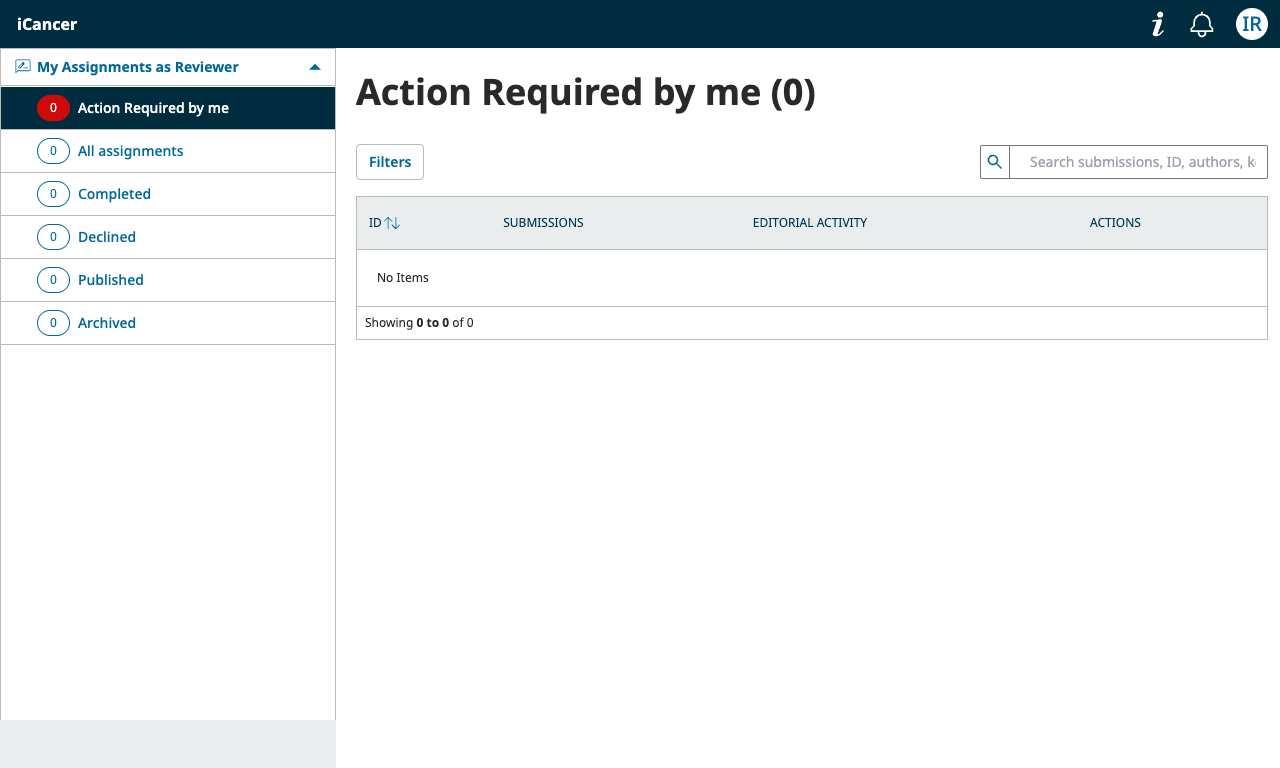
After accepting, open My Assignments as Reviewer. The dashboard separates action-required assignments, all assignments, completed reviews, declined reviews, and archived work.
Read the manuscript, figures, tables, supplementary files, and any author response provided for the current round. Focus your assessment on:
Use specific comments that distinguish major issues from minor corrections. Explain why an issue matters and what evidence or change would address it.
You may upload an annotated manuscript or other reviewer file when the journal workflow provides the option. Remove tracked changes, comments, or metadata that could reveal your identity if anonymous review is expected.
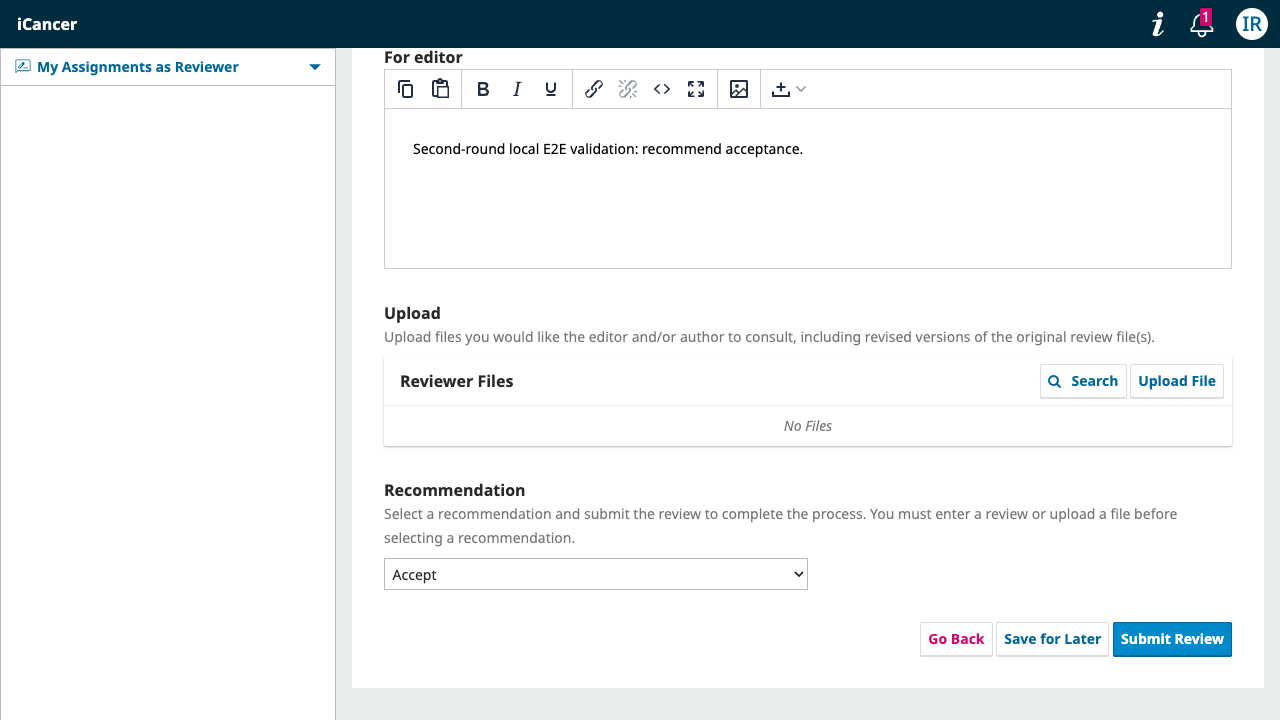
Choose the recommendation that best matches your written assessment, then select Submit Review. The recommendation should be consistent with the major and minor points in your report.
Editors make the final decision. A reviewer recommendation is expert advice, not a decision communicated directly to the author.
For a revised manuscript, review the new files and the response to reviewers. Focus on whether the authors addressed the substantive points from the previous round. Submit a new recommendation through the current review round.